Buy

Templates for short-term rental hosts

Fewer guest questions, smoother changeovers

A welcome book that answers the usual guest questions before they message you, room-by-room checklists for every turnover, and a workbook for the admin side of hosting.

  • Word and Google Docs
  • Excel and Google Sheets
  • For your own properties
Cover of the Guest Welcome Book PackCover of the Turnover Checklist and Inventory TrackerCover of the EU Host Admin Sheet

Who it's for

For hosts who do the work themselves

Hosts with one to a few properties

You handle guests, cleaning and admin yourself, and want each job written down once.

Co-hosts and cleaners

Everyone follows the same checklist, and restocking is worked out from your par levels.

Hosts in the EU

Keep registration numbers, listing checks and nights per unit in one workbook, with a plain summary of the EU short-term rental rules.

The templates

Three templates for the three big jobs

Guests, changeovers and admin. Each template works on its own and opens in software you already have.

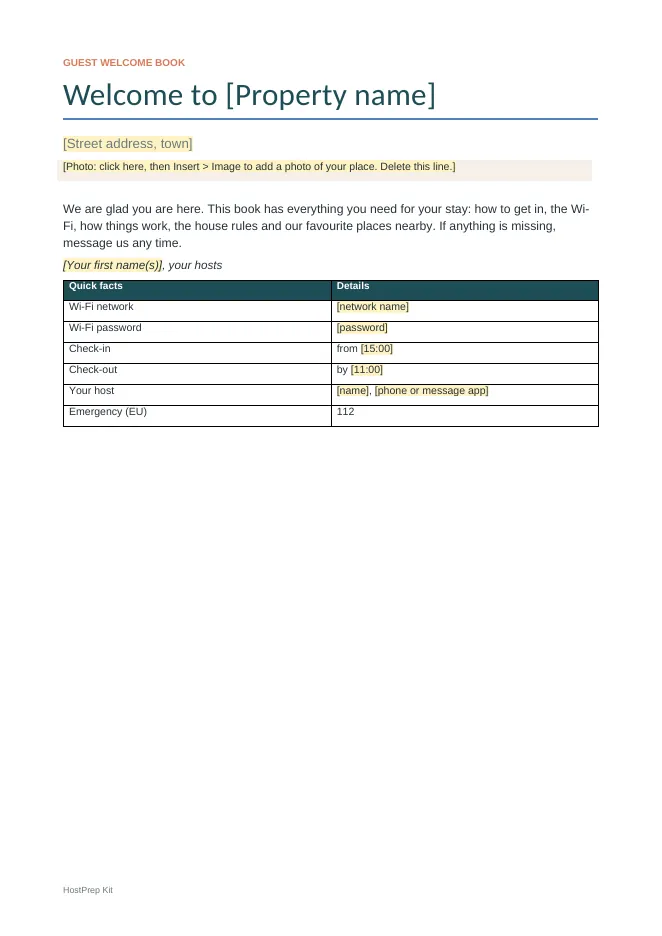
  • Cover of the Guest Welcome Book Pack
    Cover
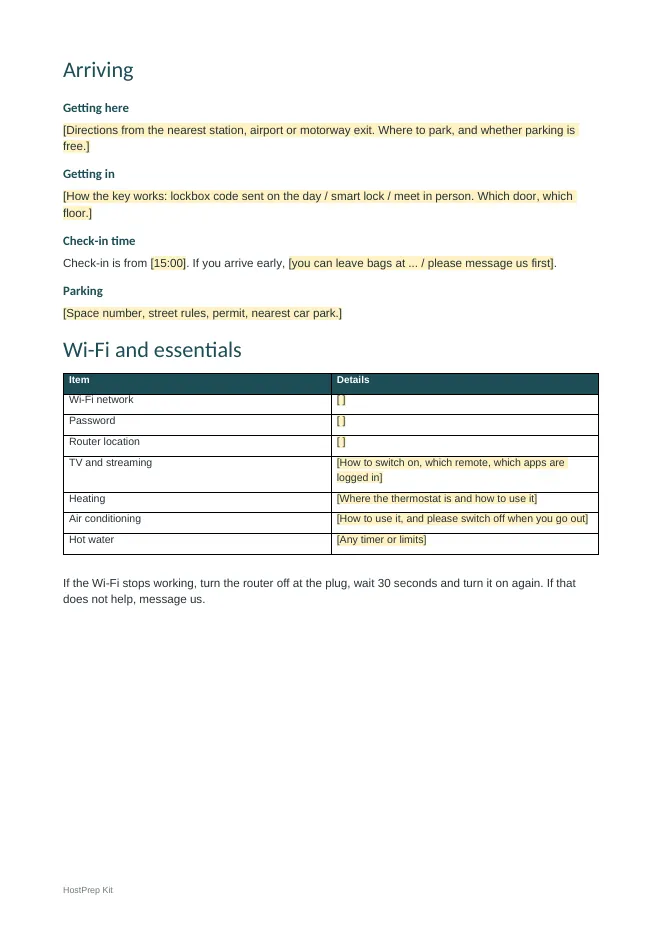
  • Inside pages of the Guest Welcome Book Pack
    Inside pages
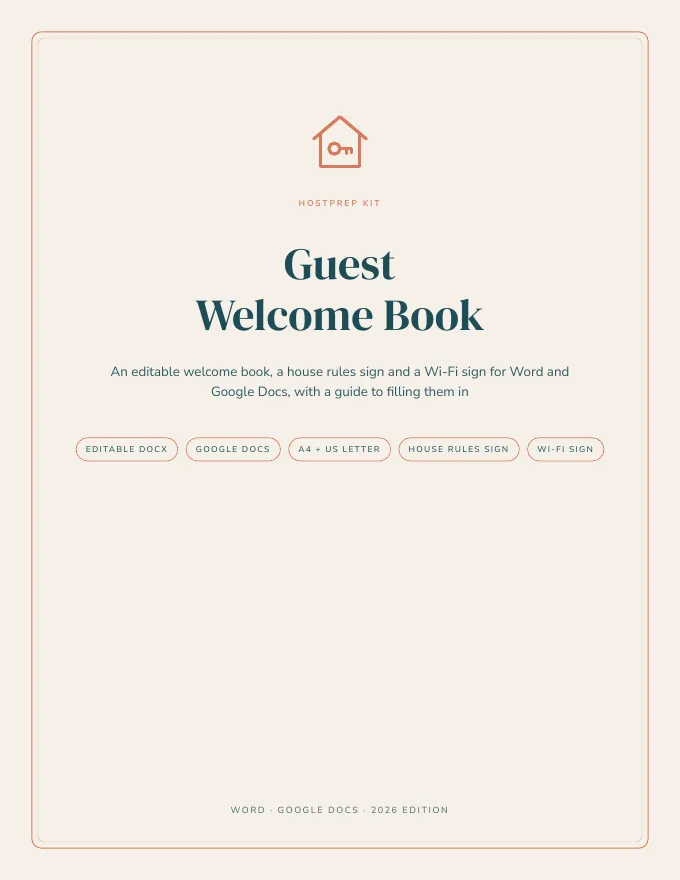
  • Guide cover from the Guest Welcome Book Pack
    Guide cover
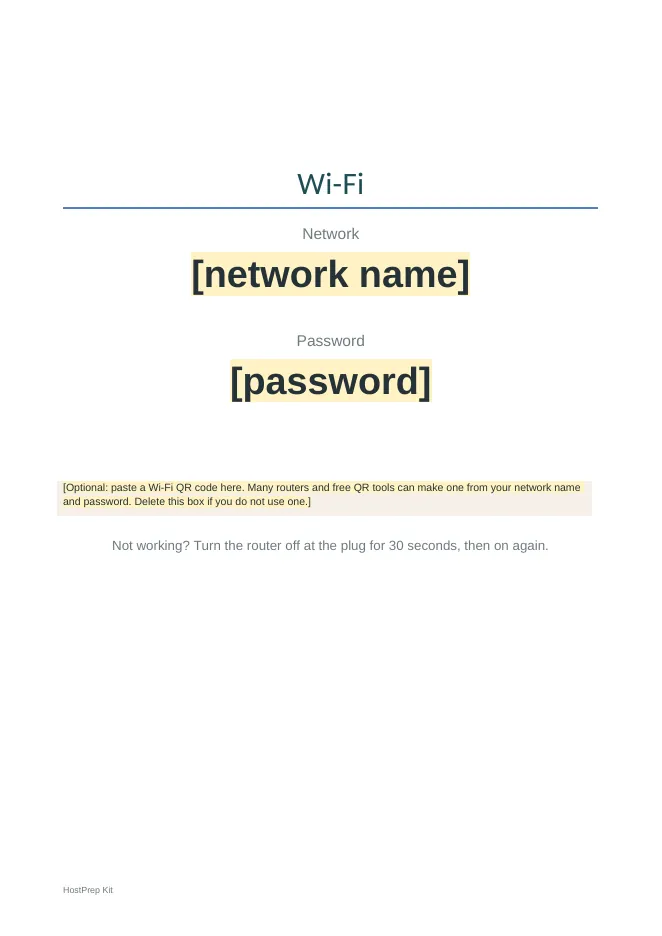
  • Wifi sign from the Guest Welcome Book Pack
    Wifi sign

Swipe or scroll to see more pages

Word and Google Docs

Guest Welcome Book Pack

€19one-time payment, digital download

An editable welcome book for short-term rental hosts, with a house rules sign and a Wi-Fi sign. Fill it in with Word or Google Docs, then print it or send it as a PDF or link.

What's inside

  • Welcome book DOCX, A4 and US Letter (8 pages to fill in)
  • House rules sign DOCX, A4 and US Letter
  • Wi-Fi sign DOCX, A4 and US Letter, with space for a QR code
  • 5-page guide PDF, US Letter and A4
  • READ-ME-FIRST file
More about this pack

Guests ask the same things: how do I get in, what is the Wi-Fi, how does the heating work, where do the bins go, what time is check-out. A welcome book answers them before they message you.

This pack is a ready-structured welcome book in Word format. It opens in Microsoft Word, Google Docs, Apple Pages and LibreOffice, so you do not need a design app. Everything you need to change is in yellow brackets.

The book covers:

  • a welcome page with quick facts
  • arriving and getting in
  • Wi-Fi and essentials
  • how things work, with an appliance table
  • house rules
  • rubbish and recycling
  • checking out
  • your favourite places nearby
  • getting around
  • safety and emergencies
  • a guest book page

The house rules sign and the Wi-Fi sign are one page each, ready to print and frame.

The guide explains what to write in each section and how to add photos. It also covers printing, sending a PDF or view-only link before arrival, translating a copy, and a check before the first guest.
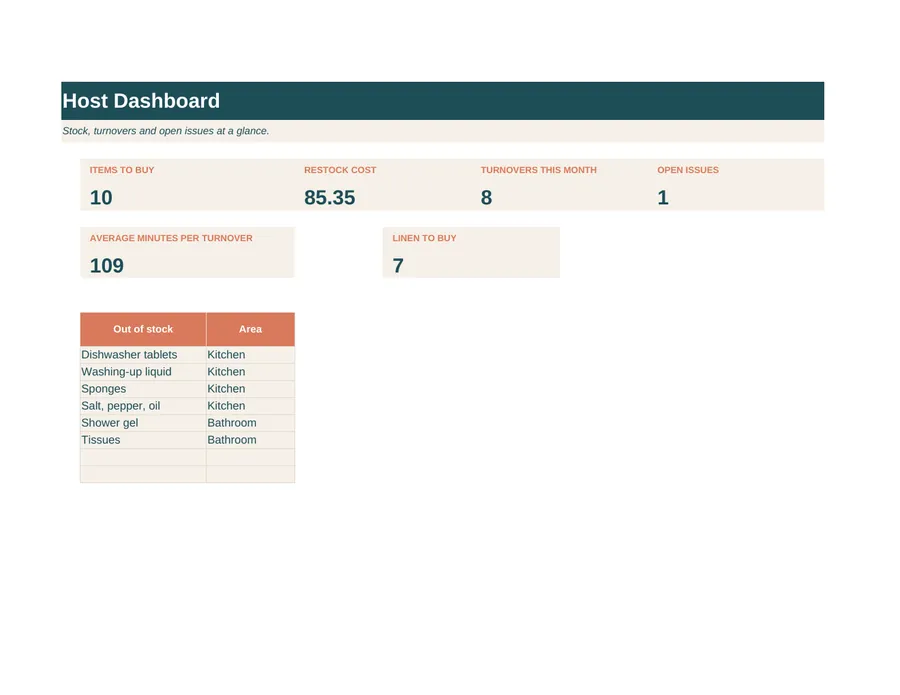
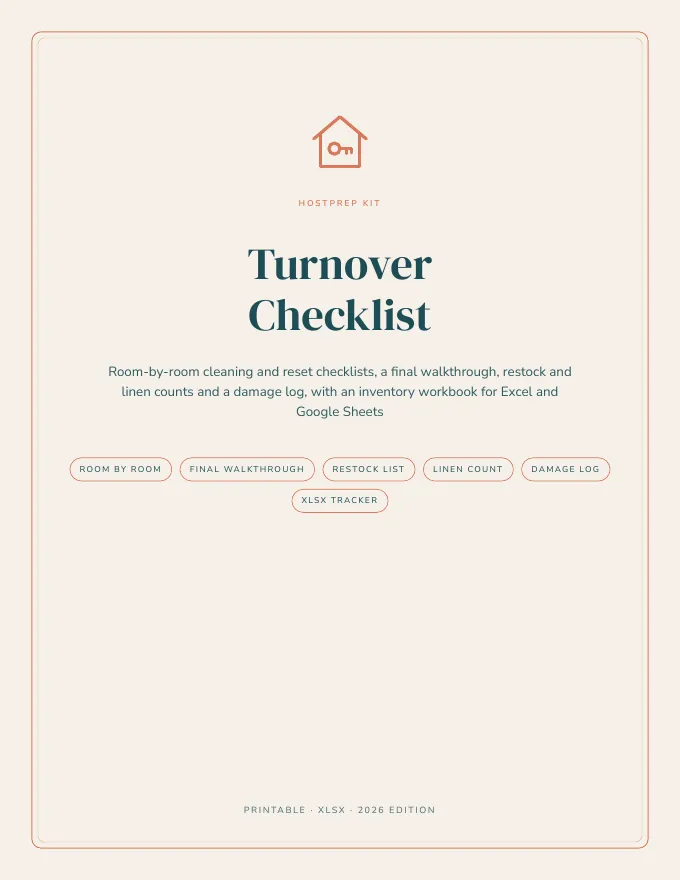
  • Cover of the Turnover Checklist and Inventory Tracker
    Cover
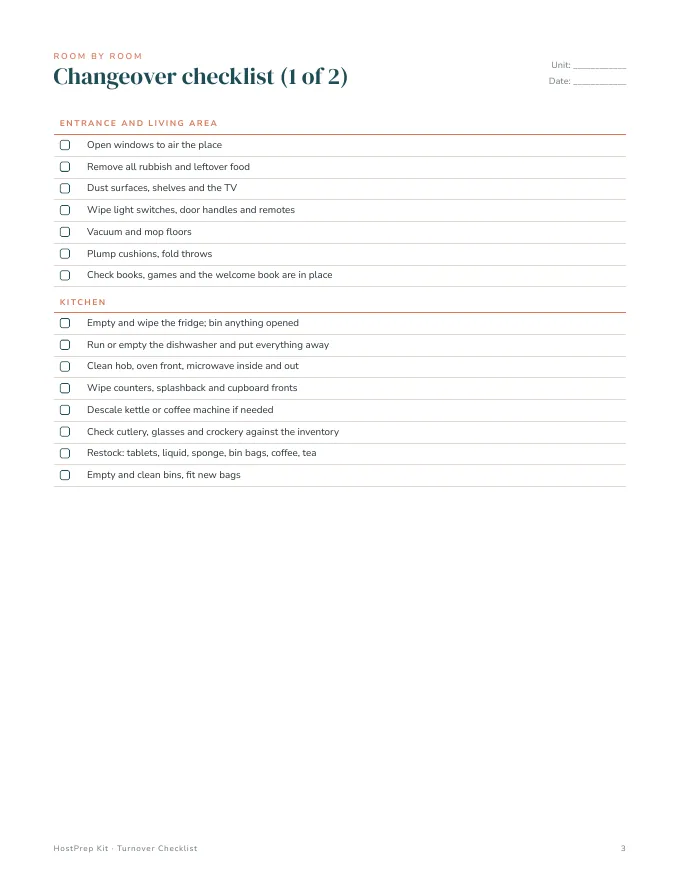
  • Inside pages of the Turnover Checklist and Inventory Tracker
    Inside pages
  • Host tab of the Turnover Checklist and Inventory Tracker spreadsheet
    Host tab
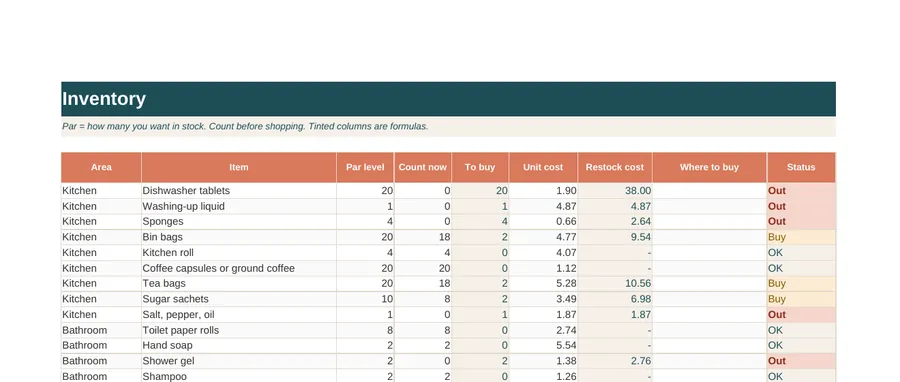
  • Inventory tab of the Turnover Checklist and Inventory Tracker spreadsheet
    Inventory tab

Swipe or scroll to see more pages

PDF, Excel and Google Sheets

Turnover Checklist and Inventory Tracker

€12one-time payment, digital download

Room-by-room changeover checklists, a final walkthrough, restock and linen counts and a damage report, with a workbook that tracks stock, linen, turnovers and repairs.

What's inside

  • 11-page PDF, US Letter and A4: how to use, room-by-room checklist (2 pages), final walkthrough and photo list, restock list, linen count, damage and maintenance report, deep clean schedule, cleaner handover note, licence
  • HostPrep-Turnover-and-Inventory.xlsx: Dashboard, Start Here, Settings, Inventory (21 items ready, 60 rows), Linen, Turnover Log, Damage and Maintenance
  • READ-ME-FIRST file
More about this kit

A changeover goes well when everyone follows the same list. Print the room-by-room pages for your cleaner or keep them in a clear sleeve in the property. They cover the entrance and living area, kitchen, bathroom, bedrooms and outdoor space.

The final walkthrough covers the checks before the door is locked, from lights and alarms to the lockbox and photos of each room. There are printable pages for the restock list, the linen count, damage and maintenance, a deep clean schedule and a handover note from the cleaner.

The workbook does the counting:

  • Inventory: set a par level for each item, count before you shop, and see what to buy and what it will cost.
  • Linen: works out how many sheets, covers, pillowcases and towels you need from your beds, guests, bathrooms and sets per bed.
  • Turnover Log: records each changeover with times, minutes taken and issues.
  • Damage and Maintenance: keeps open repairs visible.
  • Dashboard: brings it all together.
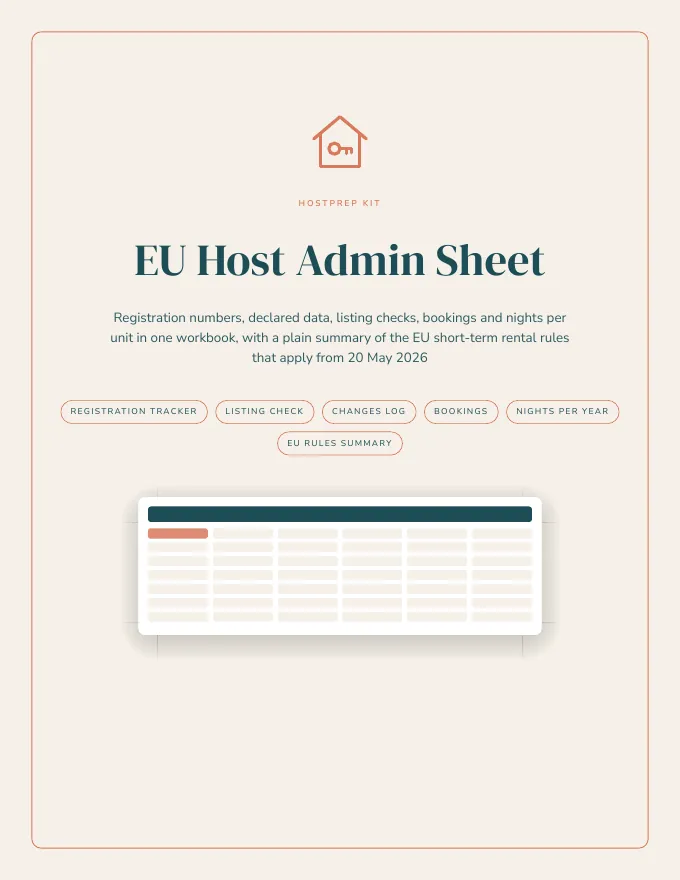
  • Cover of the EU Host Admin Sheet
    Cover
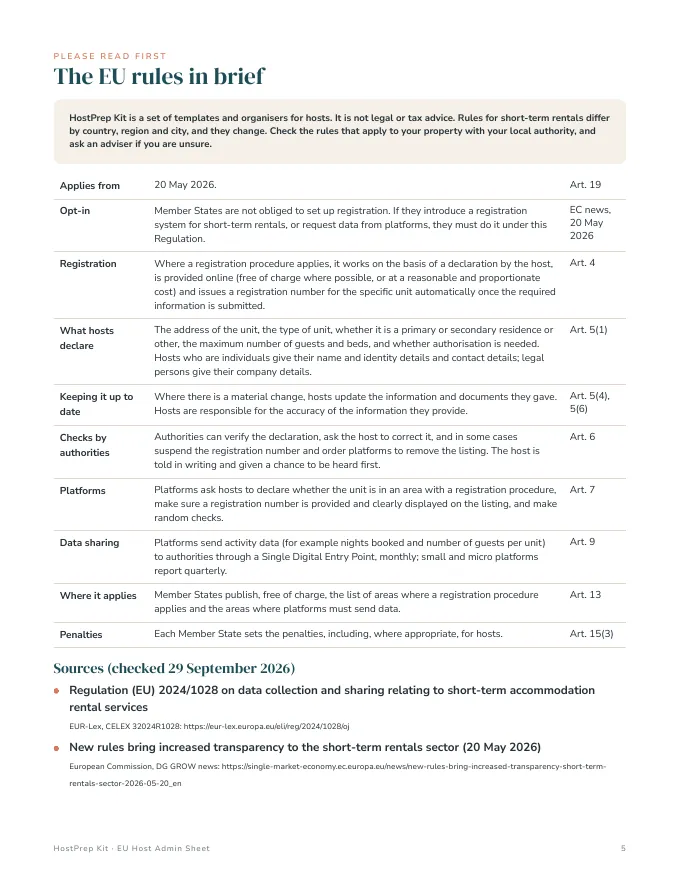
  • Inside pages of the EU Host Admin Sheet
    Inside pages
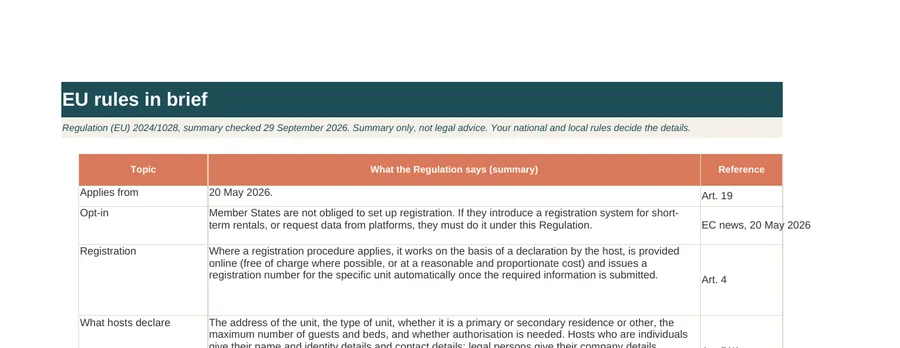
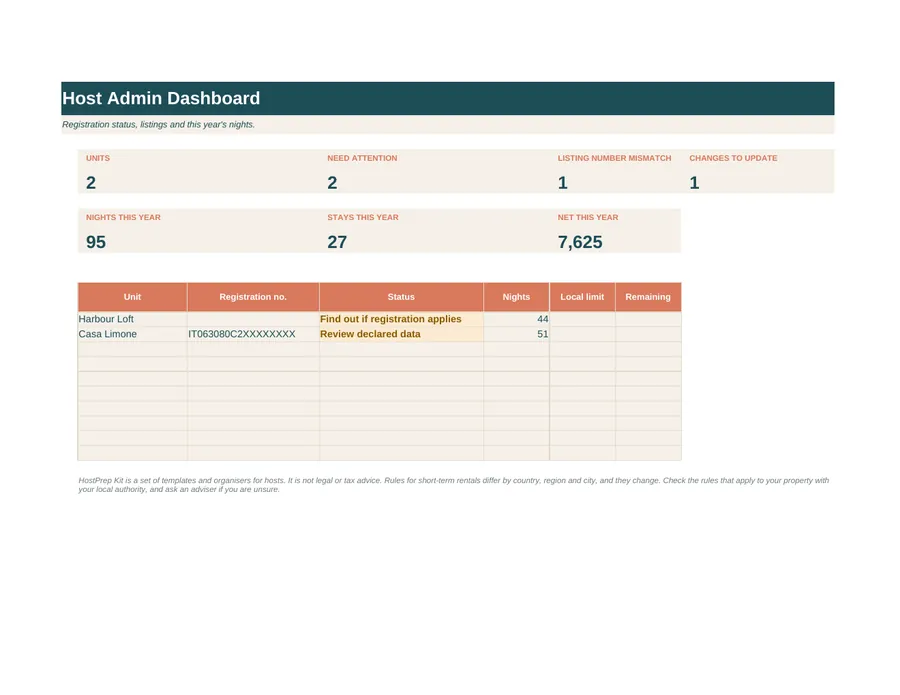
  • Eu tab of the EU Host Admin Sheet spreadsheet
    Eu tab
  • Host tab of the EU Host Admin Sheet spreadsheet
    Host tab
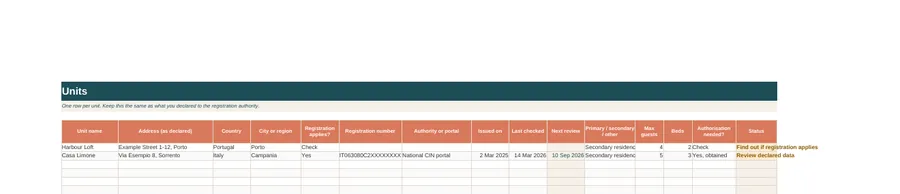
  • Units tab of the EU Host Admin Sheet spreadsheet
    Units tab

Swipe or scroll to see more pages

Excel and Google Sheets

EU Host Admin Sheet

€15one-time payment, digital download

Keep each unit's registration number, declared data, listing checks, bookings and nights per year in one workbook, with a plain summary of the EU short-term rental rules that apply from 20 May 2026.

What's inside

  • HostPrep-EU-Host-Admin-Sheet.xlsx with these tabs:
    • Dashboard
    • Start Here
    • Settings
    • Units
    • Listings Check
    • Changes Log
    • Bookings (500 rows)
    • Nights by Unit
    • EU Rules
    • Links
  • 9-page guide in US Letter and A4 with the EU rules summary, sources and printables
  • READ-ME-FIRST file
More about this spreadsheet

Since 20 May 2026, Regulation (EU) 2024/1028 applies across the EU. Where your country, region or city runs a registration procedure, each unit gets a registration number. Platforms show that number on your listings, and you keep the data you declared up to date when something changes. This workbook keeps that admin in one place.

The Units tab holds, for each unit:

  • the address as declared
  • whether registration applies
  • the registration number and the authority
  • the residence type, maximum guests and beds
  • any authorisation

A status column flags missing numbers and reviews that are due.

The Listings Check tab compares the number on each listing with your records. The Changes Log records changes to declared data and when you updated them. Bookings works out nights and net amounts per stay. Nights by Unit adds up nights per month and compares them with any local limit you enter.

The EU Rules tab and the guide summarise what the Regulation says, with article references and links to EUR-Lex and the European Commission. The guide adds printables: what to find out for each unit, a declared data record and a before-the-season checklist.

Please note: this is an organiser, not legal or tax advice. The EU Regulation sets a framework. Whether and how registration applies to you depends on your national, regional and local rules, so check with your local authority.

Cover of the Guest Welcome Book Pack

Where to start

Start with the Guest Welcome Book

€19one-time payment, digital download

A ready-structured welcome book in Word format with a house rules sign and a Wi-Fi sign. Fill in the yellow brackets, then print it or send it as a PDF before guests arrive.

It opens in Word, Google Docs, Apple Pages and LibreOffice, so there is no design app to learn.

FAQ

Questions people ask

Buying and downloading

How do I get my files?

Checkout is run by Polar. As soon as your payment goes through you can download the files, and Polar emails you a link so you can come back to them later.

Is anything posted to me?

No. Everything is a digital download. Nothing physical is shipped.

Can I get a refund?

Yes. If you are not happy with your purchase, email us within 14 days and we will refund you in full. No questions asked. See our terms.

I have a question before I buy

Email hello@mintagency.eu and we will get back to you.

Guest Welcome Book Pack

Do I need Canva or a design app?

No. The files are Word documents that also open in Google Docs and Pages.

Can I add photos?

Yes. Use Insert, Image in Word or Google Docs.

Can I translate it?

Yes. In Google Docs, use Tools, Translate document on a copy, and ideally ask a native speaker to check it.

Does it cover what my local rules say I must show guests?

There is space for it, but rules differ by place. Check your local rules and add anything required.

Can property managers use it?

One licence covers one owner's properties. Please ask about a wider licence.

Turnover Checklist and Inventory Tracker

Can my cleaner use it on their phone?

They can open the workbook in Google Sheets on a phone. Many prefer the printed checklist in a sleeve.

Can I change the checklist items?

The PDF is fixed. The workbook items and par levels are editable.

Does it work for more than one property?

Yes. Add your units in Settings and pick them in the log.

EU Host Admin Sheet

Does the EU Regulation mean I must register?

Not by itself. It applies where your Member State, region or city has set up a registration procedure. The guide shows what to find out.

Does it list my country's rules?

No. National and local rules differ and change. There is space to record your own rules and portal links.

Is it for tax returns?

No. The bookings tab keeps amounts for your own records. Ask your accountant what you need to report.

Does it work in Google Sheets?

Yes. Upload to Google Drive and open with Google Sheets.

Write it down once, use it for every stay

Start with the welcome book, then add the turnover checklist and admin sheet when you need them.